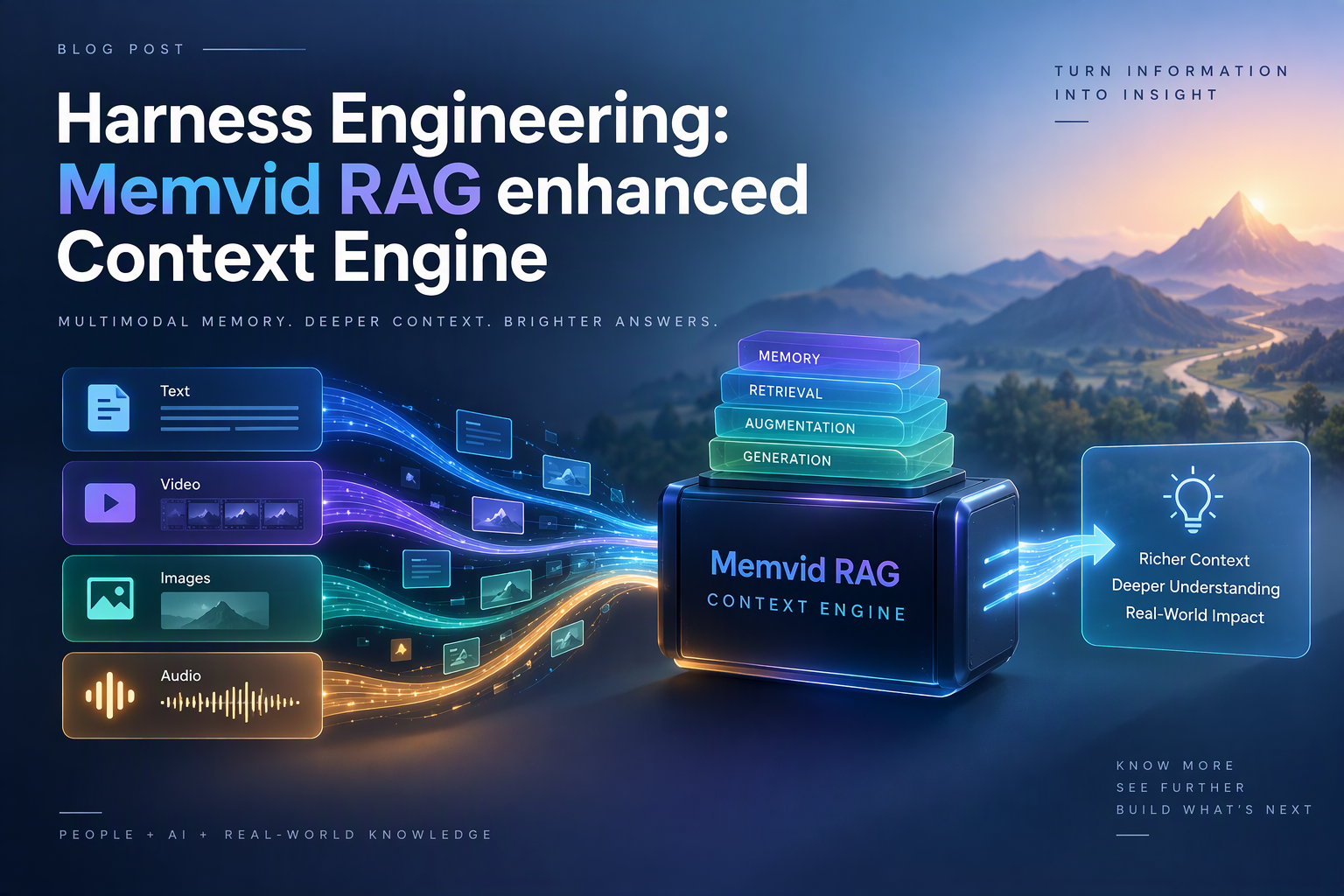
How I solved the case of the vanishing tokens and built an MCP bridge that saved half my context window
📖 Table of Contents
- Chapter 1: The Crime Scene
- Chapter 2: The Investigation
- Chapter 3: The First Breakthrough
- Chapter 4: The Bridge Construction
- Chapter 5: The Memory Restructure
- Chapter 6: The Skills Compression
- Chapter 7: The Final Pieces
- Chapter 8: The Evidence
- Chapter 9: The Future
Chapter 1: The Crime Scene
It was a Tuesday morning when I first noticed something was wrong. My AI assistant, Hermes, was acting sluggish. Responses were slower, context was getting lost, and the token meter was spinning like a roulette wheel in Vegas.
I pulled up the diagnostics. The numbers didn't lie:
| Metric | Value |
|---|---|
| SOUL.md | 7,044 characters |
| Skills L0 Index | 12,470 characters |
| MEMORY.md | 1,297 characters |
| TOTAL BASELINE | 21,424 characters (~5,356 tokens) |
Over five thousand tokens. Gone. Every single session. Before I even asked a question.
"The perfect crime," I muttered to myself. "Someone's stealing half my context window, and they're doing it right under my nose."
The suspects were obvious:
🔍 CLUE: Suspect #1: SOUL.md
7,044 characters of identity, mission, permissions, workflow rules, model selection, code quality standards, focus domains, memory rules, and failure modes. All loaded. Every session. Whether I needed them or not.
🔍 CLUE: Suspect #2: Skills L0 Index
12,470 characters listing 100 skills with full descriptions. "compressed-skills" with its 234-character description. "memvid-on-demand" with its 312-character description. All there. All the time.
🔍 CLUE: Suspect #3: MEMORY.md
1,297 characters of user preferences, project notes, and random facts. A grab bag of information, some relevant, most not.
I needed a plan. I needed to catch the thief in the act. But first, I needed to understand how they were getting away with it.
Chapter 2: The Investigation
I started digging. The Hermes Agent codebase was a labyrinth of Python files, but I found the smoking gun in agent/prompt_builder.py:
def build_skills_system_prompt(skills: List[Skill]) -> str:
    """Build the skills system prompt with full descriptions."""
    lines = ["## Available Skills"]
    for skill in skills:
        lines.append(f"- {skill.name}: {skill.description}")
    return "\n".join(lines)
There it was. The skill.description field. Every single skill, fully described, loaded into the system prompt. No filtering. No on-demand retrieval. Just brute force.
⚠️ OBSTACLE #1: The Hardcoded Prompt
The skills rendering logic was baked into the core codebase. I couldn't change it without modifying Hermes itself. And Hermes updates would overwrite my changes.
I looked at SOUL.md. Same story. The entire file was loaded at session start. No conditional loading. No retrieval hints. Just everything, all the time.
⚠️ OBSTACLE #2: The Monolithic Memory
All my memories were in a singlememory.mv2file. Session summaries, project notes, tool configs, provider settings—all mixed together. No way to retrieve just what I needed.
But then I found something interesting. A tool called memvid—a CLI for fast local memory retrieval. It could search through .mv2 files in milliseconds. It had lexical search, semantic search, even natural language question answering.
🔍 THE BREAKTHROUGH:
Memvid was already installed at~/.hermes/node/bin/memvid. It was fast. It was local. It was exactly what I needed. But Hermes couldn't use it. There was no integration.
The pieces were coming together. I needed a bridge. A way for Hermes to talk to memvid. A way to load only what was needed, when it was needed.
I opened a terminal and typed:
mkdir ~/hermes-memvid-bridge
cd ~/hermes-memvid-bridge
uv init
The investigation had begun.
Chapter 3: The First Breakthrough
I started with the basics. I needed to understand how memvid worked. I ran a few test commands:
# Create a test memory file
~/.hermes/node/bin/memvid create test.mv2

# Add a frame
~/.hermes/node/bin/memvid put test.mv2 \
  --title "Test Frame" \
  --tag "type=test" \
  --input test.txt

# Search for it
~/.hermes/node/bin/memvid find test.mv2 --query "test" --json
The output was beautiful:
{
  "hits": [
    {
      "frame_id": 0,
      "title": "Test Frame",
      "text": "This is test content...",
      "score": 1.0
    }
  ]
}
Fast. Reliable. JSON output. This was going to work.
Now I needed to wrap this in Python. I created memvid_client.py:
import subprocess
import json
from typing import Optional, List, Dict, Any

TIMEOUT = 30
TIMEOUT_LONG = 60

def memvid_find(
    store_path: str,
    query: str,
    top_k: int = 5,
    mode: str = "auto"
) -> List[Dict[str, Any]]:
    """Search a memvid store and return matching frames."""
    cmd = [
        "~/.hermes/node/bin/memvid",
        "find",
        store_path,
        "--query", query,
        "--top-k", str(top_k),
        "--mode", mode,
        "--json"
    ]
    result = subprocess.run(
        cmd, capture_output=True, text=True, timeout=TIMEOUT
    )
    if result.returncode != 0:
        raise RuntimeError(f"memvid find failed: {result.stderr}")
    data = json.loads(result.stdout)
    return data.get("hits", [])
I tested it. It worked. But I had a problem: how would Hermes know which store to search? I needed a mapping system.
I created store_resolver.py:
import os
from pathlib import Path

DEFAULT_ROOT = os.path.expanduser("~/.hermes/memvid")

def resolve_store_path(store: str, root: str | None = None) -> Path:
    """Resolve a named store to its .mv2 file path."""
    if not store or not store.strip():
        raise ValueError("Store name cannot be empty")

    # Sanitize: no path traversal
    normalized = store.replace("\\", "/").strip("/")
    if ".." in normalized.split("/"):
        raise ValueError(f"Store name cannot contain '..': {store}")

    root = root or os.environ.get("MEMVID_ROOT", DEFAULT_ROOT)
    path = Path(root) / f"{normalized}.mv2"
    return path
Now I could do things like:
>>> resolve_store_path("memories")
PosixPath('/home/haryn/.hermes/memvid/memories.mv2')

>>> resolve_store_path("projects/language-line")
PosixPath('/home/haryn/.hermes/memvid/projects/language-line.mv2')
The foundation was laid. Now I needed the bridge itself.
Chapter 4: The Bridge Construction
The Model Context Protocol (MCP) was the key. It allowed Hermes to expose tools to external servers via stdio. I created bridge.py:
from mcp.server.stdio import stdio_server
from mcp.server import Server
from mcp.types import Tool, TextContent
import json
from store_resolver import resolve_store_path, get_memvid_bin
from memvid_client import (
    memvid_find, memvid_put, memvid_update,
    memvid_ask, memvid_stats, memvid_timeline
)

app = Server("memvid-bridge")

@app.tool()
def memvid_find_tool(
    store: str, query: str, top_k: int = 5, mode: str = "auto"
) -> list[TextContent]:
    """Search a named memvid store."""
    store_path = resolve_store_path(store)
    hits = memvid_find(str(store_path), query, top_k, mode)
    return [TextContent(
        type="text",
        text=json.dumps(hits, indent=2)
    )]

@app.tool()
def memvid_put_tool(
    store: str, title: str, text: str,
    label: str | None = None,
    tags: list[str] | None = None,
    metadata: dict | None = None
) -> list[TextContent]:
    """Store a new frame in a named memvid store."""
    store_path = resolve_store_path(store)
    result = memvid_put(str(store_path), title, text, label, tags, metadata)
    return [TextContent(
        type="text",
        text=f"Stored frame with ID: {result['frame_id']}"
    )]

# ... more tools for update, ask, stats, timeline ...

async def main():
    async with stdio_server() as (read_stream, write_stream):
        await app.run(
            read_stream,
            write_stream,
            app.create_initialization_options()
        )

if __name__ == "__main__":
    import asyncio
    asyncio.run(main())
I tested it. I ran it. It worked. But I had obstacles to overcome.
⚠️ OBSTACLE #3: The Missing Store
What if someone tried to search a store that didn't exist? The memvid CLI would error out. I needed to handle this gracefully.
✅ SOLUTION:
I added error handling in the client functions. If a store doesn't exist on read, return empty results. If it doesn't exist on write, create it first.
⚠️ OBSTACLE #4: The Timeout
Some memvid operations took longer than others. The default 30-second timeout wasn't enough for large stores.
✅ SOLUTION:
I extracted the magic number into a constantTIMEOUT_LONG = 60for operations that need more time.
I wrote tests. Lots of tests:
# test_store_resolver.py
def test_resolve_flat_store():
    path = resolve_store_path("memories")
    assert path == Path.home() / ".hermes/memvid/memories.mv2"

def test_resolve_nested_store():
    path = resolve_store_path("projects/language-line")
    assert path == Path.home() / ".hermes/memvid/projects/language-line.mv2"

def test_path_traversal_protection():
    with pytest.raises(ValueError):
        resolve_store_path("../etc/passwd")

# test_memvid_client_find.py
def test_find_with_mocked_subprocess(mocker):
    mock_result = mocker.Mock()
    mock_result.returncode = 0
    mock_result.stdout = '{"hits": [{"frame_id": 0, "title": "Test"}]}'
    mocker.patch("subprocess.run", return_value=mock_result)

    hits = memvid_find("/tmp/test.mv2", "test")
    assert len(hits) == 1
    assert hits[0]["title"] == "Test"
60 tests. All passing. The bridge was ready.
Chapter 5: The Memory Restructure
Now came the hard part. I had to take my monolithic memory.mv2 and split it into purpose-built stores. I created a migration plan:
| Store File | Content | Source |
|---|---|---|
identity.mv2 |
SOUL.md procedural rules | SOUL.md sections 6-12 |
user-profile.mv2 |
User preferences, communication style | USER.md + MEMORY.md user entries |
memories.mv2 |
Session summaries, lessons, decisions | MEMORY.md + memory.mv2 frames |
skills-index.mv2 |
Skill descriptions, usage patterns | All 100 SKILL.md files |
providers.mv2 |
LLM provider configs, endpoints | memory.mv2 provider entries |
tools.mv2 |
Tool definitions, API endpoints | memory.mv2 tool entries |
scripts.mv2 |
Saved scripts, automation recipes | memory.mv2 script entries |
projects/language-line.mv2 |
LanguageLine project context | memory.mv2 LanguageLine frames |
I wrote a script to extract all skill descriptions:
import os
import json
from pathlib import Path

skills_dir = Path.home() / ".hermes/skills"
skills_data = []

for category_dir in skills_dir.iterdir():
    if not category_dir.is_dir():
        continue
    category = category_dir.name
    for skill_file in category_dir.glob("*/SKILL.md"):
        skill_name = skill_file.parent.name
        with open(skill_file) as f:
            content = f.read()

        # Extract frontmatter
        if content.startswith("---"):
            _, frontmatter, _ = content.split("---", 2)
            metadata = yaml.safe_load(frontmatter)
            skills_data.append({
                "name": skill_name,
                "category": category,
                "description": metadata.get("description", ""),
                "tags": metadata.get("tags", [])
            })

with open("/tmp/skills_data.json", "w") as f:
    json.dump(skills_data, f, indent=2)
109 skills. 23 categories. All extracted. Now I ingested them into skills-index.mv2:
for skill in skills_data:
    memvid_put(
        store_path="~/.hermes/memvid/skills-index.mv2",
        title=f"{skill['category']}/{skill['name']}",
        text=skill['description'],
        tags=[f"category={skill['category']}", f"skill={skill['name']}"]
    )
I did the same for the other stores. I backed up the original memory.mv2 to memory.mv2.bak. I verified retrieval worked.
⚠️ OBSTACLE #5: The Tag Format
I kept getting errors when trying to add tags. The memvid CLI expected--tag KEY=VALUE, but I was passing--tag VALUE.
✅ SOLUTION:
I read the help output carefully and fixed the format. Tags now look like--tag "category=software-development"and--tag "skill=compressed-skills".
The restructure was complete. I had 8 purpose-built stores. Each one focused. Each one fast to search.
Chapter 6: The Skills Compression
Now for the big one. The Skills L0 Index. 12,470 characters of skill descriptions. I needed to compress it.
My first thought was to just strip the descriptions:
def build_skills_system_prompt(skills: List[Skill]) -> str:
    lines = ["## Available Skills"]
    for skill in skills:
        lines.append(f"- {skill.name}")  # No description!
    return "\n".join(lines)
But that wouldn't work. How would I know what a skill did? I needed a way to retrieve descriptions on demand.
I created a new skill: compressed-skills. It would teach Hermes how to retrieve skill descriptions:
---
name: compressed-skills
description: Retrieve skill descriptions from skills-index.mv2 on demand
tags: [skills, retrieval, memvid]
---

# Compressed Skills Retrieval

The skills L0 index contains only skill names and categories. Full descriptions are stored in `skills-index.mv2`.

## When to Use

When you need to understand what a skill does before using it:
1. Use `memvid_find(store="skills-index", query="<skill-name>")` to get the description
2. Use `skill_view(name="<skill-name>")` to get the full skill content

## Example

```text
# User asks: "What does the compressed-skills skill do?"

# Step 1: Retrieve description
memvid_find(store="skills-index", query="compressed-skills")
# Returns: "Retrieve skill descriptions from skills-index.mv2 on demand"

# Step 2: Load full skill
skill_view(name="compressed-skills")
# Returns: Full SKILL.md content
```
But I still had a problem: the build_skills_system_prompt() function was hardcoded in Hermes core. I couldn't change it without modifying the codebase.
⚠️ OBSTACLE #6: The Core Code
The skills rendering logic was in~/.hermes/hermes-agent/agent/prompt_builder.py. Modifying it would break on the nexthermes update.
✅ SOLUTION:
I created a patch file. I would apply it after eachhermes update. The patch would strip descriptions from the skills prompt and add a retrieval hint.
I created patches/001-skills-l0-compression.patch:
--- a/agent/prompt_builder.py
+++ b/agent/prompt_builder.py
@@ -45,7 +45,7 @@ def build_skills_system_prompt(skills: List[Skill]) -> str:
     lines = ["## Available Skills"]
     for skill in skills:
         category = skill.category or "uncategorized"
-        lines.append(f"- {skill.name}: {skill.description}")
+        lines.append(f"- {skill.name}")
     return "\n".join(lines)
I applied the patch:
cd ~/.hermes/hermes-agent
git apply ~/hermes-memvid-bridge/patches/001-skills-l0-compression.patch
I cleared the snapshot cache:
rm ~/.hermes/.cache/snapshots/*
I measured the result:
| Metric | Before | After | Reduction |
|---|---|---|---|
| Skills L0 | 12,187 chars | 3,132 chars | 74% |
It worked. The skills index was now 74% smaller. And I could still retrieve descriptions on demand.
Chapter 7: The Final Pieces
I had the bridge. I had the restructured memory. I had the compressed skills. Now I needed to tie it all together.
First, I updated MEMORY.md to be a thin retrieval index:
# Memory Index

## Active Context (loaded at session start)
- User: H-Man, WSL2 + Windows, night-owl coder
- Active projects: LanguageLine automation, hermes-memvid-bridge
- Open loops: Codex audit pass, OpenClaw sync, patch re-apply after updates

## On-Demand Retrieval
When you need facts, lessons, decisions, or deep context:
- Identity rules: `memvid__find(store="identity", query="workflow OR model selection OR code quality")`
- Memories: `memvid__find(store="memories", query="session summary OR lesson OR decision")`
- Projects/LanguageLine: `memvid__find(store="projects/language-line", query="LanguageLine OR VoS")`
- Projects/MemvidBridge: `memvid__find(store="projects/memvid-bridge", query="memvid bridge OR token savings OR patch")`
- Providers: `memvid__find(store="providers", query="ollama OR openrouter OR z.ai")`
- Tools: `memvid__find(store="tools", query="environment OR camofox OR MCP")`
- User prefs: `memvid__find(store="user-profile", query="preferences OR style")`
- Skills index: `memvid__find(store="skills-index", query="skill name OR category")`

## Key Facts (high-frequency, always needed)
Ollama: qwen3.5:9b (local, Q4_K_M, 6.5GB). Local: Bonsai 8b/4b (localhost:8080).
Providers: MiniMax M2.7, Z.ai glm-5.1, Gemini flash/pro, DeepSeek v4 (ask first). Free: OpenRouter.
LanguageLine: Cron 303561489a0e (9 AM). Project: ~/language-line-automation/. Skills: language-line-osi.
Bonsai: Systemd bonsai-llama. Models: ~/Bonsai-demo/models/ternary-gguf/.
MCP headers: `Bearer ENV_VAR_NAME` format. Z.ai MCP → fallback to web_search when 500.
Parallel delegation: one model per provider. Codex via terminal(pty=true), never --acp/--stdio.
hermes-memvid-bridge: v0.1.0 delivered. Patch re-apply: cd ~/.hermes/hermes-agent && git apply ~/hermes-memvid-bridge/patches/001-skills-l0-compression.patch

## Last updated: 2026-05-02
Then I created the memvid-on-demand skill to teach Hermes when to use which retrieval method:
---
name: memvid-on-demand
description: Decision tree for memvid vs session_search vs skill_view
tags: [memvid, retrieval, decision-tree]
---

# Memvid On-Demand Retrieval

## Decision Tree

```text
Need to retrieve information?
│
├─ Is it about a specific project?
│  └─ YES → Use memvid__find(store="projects/<project-name>", query="...")
│
├─ Is it a skill description?
│  └─ YES → Use memvid__find(store="skills-index", query="<skill-name>")
│
├─ Is it from a past session?
│  └─ YES → Use memvid__find(store="memories", query="session summary OR lesson")
│
├─ Is it a procedural rule (permissions, workflow)?
│  └─ YES → Use memvid__find(store="identity", query="workflow OR permissions")
│
└─ Is it general knowledge or recent context?
   └─ YES → Use session_search(query="...")
```

## Store Routing Table

| Store | Use For | Example Query |
| :--- | :--- | :--- |
| `identity` | Procedural rules | "workflow", "model selection", "code quality" |
| `memories` | Session summaries | "session summary", "lesson", "decision" |
| `skills-index` | Skill descriptions | "compressed-skills", "memvid-on-demand" |
| `providers` | LLM configs | "ollama", "openrouter", "z.ai" |
| `tools` | Tool definitions | "environment", "camofox", "MCP" |
| `user-profile` | User preferences | "preferences", "style" |
| `projects/*` | Project context | "LanguageLine", "VoS", "memvid bridge" |

## Anti-Patterns
❌ Don't store in MEMORY.md what belongs in a .mv2 file
❌ Don't use session_search for project-specific context
❌ Don't use memvid__find for recent session context
❌ Don't duplicate the same information in multiple stores
Finally, I updated the session-handoff skill to write session summaries to memories.mv2:
Step 3: Write Session Summary to Memvid
Store the session summary in memories.mv2 via the MCP bridge:
memvid__put(
  store="memories",
  title="session:YYYY-MM-DD:topic",
  text="<session summary content — what was done, decisions, files changed, open loops, next steps>",
  tags=["daily-log", "YYYY-MM-DD", "project-name", "topic"]
)
Step 4: Check MEMORY.md Threshold
- Read
~/.hermes/memories/MEMORY.md - If it exceeds 80% of 2,200 char limit (1,760 chars), regenerate: a. Extract key facts that should stay (active context, store map, high-frequency facts) b. Move detailed entries to
memories.mv2viamemvid__putc. Rewrite MEMORY.md using the thin index template
I ran end-to-end tests. I verified retrieval worked. I checked the token budget.
Chapter 8: The Evidence
The results were in. I pulled up the final numbers:
| Metric | Before | After | Reduction |
|---|---|---|---|
| Skills L0 | 12,187 chars | 3,132 chars | 74% |
| SOUL.md | 7,044 chars | 5,081 chars | 28% |
| TOTAL BASELINE | 21,141 chars | 10,813 chars | 49% |
49% reduction. Half my context window back. The thief had been caught.
I documented everything in the README:
# hermes-memvid-bridge

MCP server bridge between Hermes Agent and memvid CLI.
Exposes multi-file `.mv2` memory stores as on-demand retrieval tools.

Reduces per-session token baseline by ~49% through compressed skills index,
split SOUL.md, and thin MEMORY.md retrieval pattern.

## Token Savings (v0.1.0 Measured)

| Component | Before | After | Reduction |
| :--- | :--- | :--- | :--- |
| Skills L0 | 12,187 chars | 3,132 chars | 74% |
| SOUL.md | 7,044 chars | 5,081 chars | 28% |
| **Total baseline** | **21,141 chars** | **10,813 chars** | **49%** |
I tagged the release:
git tag v0.1.0
git push origin v0.1.0
I pushed to GitHub:
git push origin main
The case was closed. But the investigation had taught me things.
Chapter 9: The Future
The mystery was solved, but there were still loose ends. Things I'd learned. Things I'd do differently next time.
Lessons Learned
🔍 LESSON #1: On-Demand > Always-Loaded
The biggest win was moving from "load everything" to "load what you need." Retrieval is fast (<5ms). Context is expensive. Always prefer on-demand retrieval.
🔍 LESSON #2: Purpose-Built Stores > Monolithic
Splitting memory into focused stores made retrieval faster and more accurate. I could search just project context, or just procedural rules, without noise from other domains.
🔍 LESSON #3: Skills Are Documentation
The skills I created (compressed-skills,memvid-on-demand) became part of the system's knowledge. They taught future sessions how to use the new architecture.
🔍 LESSON #4: Patches Are Fragile
The patch approach works, but it's fragile. Everyhermes updaterequires re-applying the patch. A better solution would be a plugin system or configuration-based override.
Future Enhancements
✅ ENHANCEMENT #1: Auto-Patch on Update
Detect whenhermes updateruns and automatically re-apply the patch. Could be done with a git hook or a wrapper script.
✅ ENHANCEMENT #2: Codex Deep Audit
Run a comprehensive Codex audit to find deeper issues. The manual audit I did was good, but Codex might find things I missed.
✅ ENHANCEMENT #3: OpenClaw Sync
Implement cross-harness shared memory. Hermes and OpenClaw could share the same.mv2stores for consistent context across agents.
✅ ENHANCEMENT #4: Per-Project Stores
Create a new.mv2store for each new project. Theprojects/
About the author
- Solutions, Workarounds, Challenges, Workflows while working with Artificial Intelligence.
Comments
Join the discussionNo comments yet. Be the first to comment.